


INK BLEEDS & BLOTS
Realistic, controlled ink bleeds for Adobe After Effects

Download for
$49


What is it?
The Ink Bleeds & Blots template lets you create custom ink and watercolor-style effects in Adobe After Effects. It’s an all-in-one effects pack designed for ink-themed projects, featuring a variety of expanding ink bleeds, drops, splatters, liquid textures, ink-reveal transitions, ink trails, and paper textures.
All effects are generated procedurally in After Effects, giving you full control over their appearance and behavior through easy-to-use controls. Each ink bleed, splatter, and texture can be adjusted to fit your project. For roughly the cost of a single stock ink bleed clip, Ink Bleeds & Blots gives you a flexible set of tools you can reuse across many different projects.
Create custom ink bleeds and watercolor effects for your videos!


Features
-
10 Presets - Different styles of ink bleeds to choose from – ready to copy and paste into your comp. Customize them with easy-to-use slider controls.
-
5 Ink Bleed Titles - Taken from the Creation Title Effects template, these five animated text layers can be edited with the Text tool and can use any font. Each title has a unique ink effect, such as flowing, fading ink reveals, dripping or melting text, and text revealed by ink bleeds.
-
Ink Reveals & Transitions - Reveal your watery, distorted footage with your choice of ink bleed and paper.
-
Ink Trails - Taken from the Wisp template, this spreading ink bleed trail will follow the motion path you create for the "Target" layer. Write out text, or paint out custom lines and shapes, and customize the look with the controls.
-
Ink Splatters - A simple, customizable splatter effect that creates expanding droplets of ink on paper.
-
Paper Textures - 37 high-resolution paper images to choose from. Simply drag and drop.
-
"Fractal Noisier" - This effect uses multiple Turbulent Displace effects on a Fractal Noise texture to create unusual, swirly textures that are great for animated backgrounds. Use the presets to quickly make liquid chrome and flowing ink textures.
-
Original Effect Included - The 2026 update of this effect is a complete overhaul and remake of the original template. The original effect has a different look and is included in the project.
-
Easy Customization - This template uses 100% procedural effects made in After Effects, so everything is customizable. Intuitive controls for each effect make animation and customization easy!


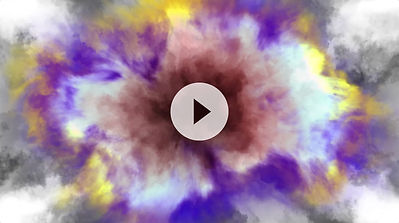
The original effect is built differently from the 2026 update, and it has a different look. It's included in the project file. Watch this tutorial to learn how use it.

Need to Know
-
This template is compatible with Adobe After Effects , version 17 (2020) and all later versions. Works in both Windows and macOS. No plugins required. Last update: 03/07/2026.
-
The effects will work in any resolution. Just change the comp size and if needed, the Solid layer dimensions.
-
The tutorial points out an After Effects glitch at 5:50. The glitch seems to only affect previews in the in ink bleed precomps (not final renders). It's related to an unpredictable and inconsistent position of the anchor point of the turbulence in the Roughen Edges effect. If you encounter problems with this in your renders, please contact me (Noel).
-
This template has been "universalized", so it will work in After Effects running in any language.
Product Type: Adobe After Effects template
Delivery Format: Digital Download
Price: $49 USD
The Ink Bleeds & Blots template is not a plugin, so there is nothing to install. Rather, it's an Adobe After Effects project file, commonly known as a "template" because most of the work is already done and the user needs only to make their own customizations. This template is compatible with version 17 (2020) as well as all later versions of After Effects.
Ink Bleeds & Blots contains copyrighted intellectual property. The animations you create with this product are 100% yours and can be used for commercial purposes, but the sharing or online posting of project files with or for anyone other than a client is prohibited. See the Terms and Conditions for more details.
Positive and/or negative feedback is appreciated. Use the contact page to send me a message.

Even an After Effects beginner will have no problem creating custom ink bleeds!