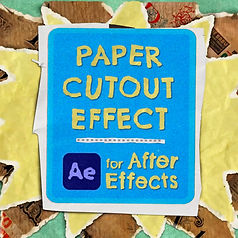
Free Preset - Heat Haze
A stop motion paper pack for After Effects

Download for
$
0

What is it?
This free preset for Adobe After Effects preset allows you to easily add realistic, customizable heat haze to your footage or scenes. The effect is versatile – quickly add heat shimmer to your sunsets, create wavy distortion for underwater scenes, or animate intense heat distortion like that seen near jet engines.
With simple controls, you can fine-tune the level of detail, movement, and intensity of the distortion. The effect combines blurring and warping, both of which can be adjusted independently. Limit the heat haze to a specific area with a mask, and smoothly fade out the intensity of the heat haze.
This free heat distortion effect comes from the Landscaper template, which features a variety of nature effects and the ability to create your own 3D landscapes. Be sure to check out the Landscaper demo video!

Details
Want a better deal? These animated paper effects are also included in the Creation Art Effects and Mixed Media Effect bundles.
Product Type: Adobe After Effects template
Delivery Format: Digital Download
Price:$19
Animated Paper Textures is compatible with Adobe After Effects v.17 (2020) and all later versions. Works in both Windows and macOS. No plugins required.
This template has been universalized, so it will work for users running After Effects in other languages.
Comps in both HD (1920x1080) and UHD (3840x2160) are included. Any resolution will work if you change the dimensions of the comps, precomps, and solid layers.
Related Products