


Turn Your Footage Into a Paper Cutout Animation in After Effects
Updated: 2 hours ago
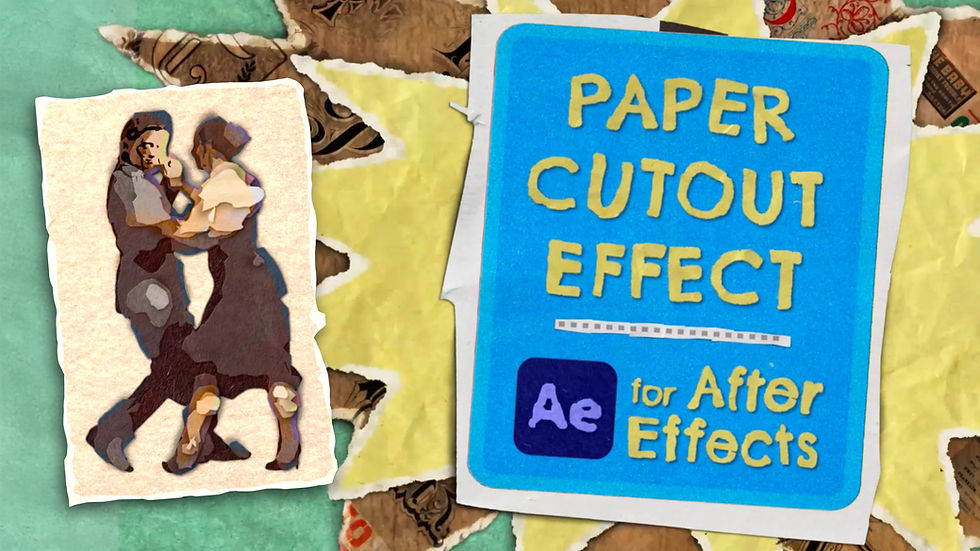
The Paper Cutout Effect template from Creation Effects instantly transforms your footage, text, or graphics into a layered, handmade paper collage – without any frame-by-frame work.
Download the Paper Cutout Effect: https://CreationEffects.com/effects/paper-cutout-effect
Or get the full Creation Art Effects bundle: https://CreationEffects.com/effects/creation-art-effects
What the Paper Cutout Effect Does
This inexpensive After Effects template converts your layers into stacked cutouts with realistic shadows, animated textures, torn-paper edges, and stop-motion movement. Whether you want a rough, hand-crafted collage or something cleaner—similar to the South Park look—you can dial it in with intuitive controls.
The effect was originally part of the Creation Art Effects bundle (50 stylized, artistic looks for footage) but is now available as its own standalone template.
Fully Customizable Controls
With simple sliders in After Effects, you can adjust:
Detail level (from rough collage to clean cutout)
Paper textures (cardboard, notebook paper, newsprint, construction paper, crumpled paper, and more)
Edge style (smooth, jagged, or animated torn edges)
Shadow depth and movement
Outlines and custom masked shapes
Switching from one style to another takes seconds, and all textures change randomly on every frame - so no two frames ever look the same.

Includes Animated Paper Elements
The template comes with animated paper elements – paper scraps, backgrounds, and magazine-style cutouts you can use for motion graphics, title cards, thumbnails, or scrapbook-style animations. These elements blend naturally with the main effect, adding handmade charm to your project.
Easy Workflow
As Noel Powell shows in the YouTube tutorial:
“You just drop in your footage, customize the detail level, shadows, and paper textures, and you’re done.”
You can use this effect on video, text, graphics, or anything with a transparent background—making it ideal for artistic and craft-themed videos, kids’ content, and mixed-media animations.
The Paper Cutout Effect is designed for HD and 4K projects and works with Adobe After Effects 2022 and higher.
Turn your footage into a playful, handmade stop-motion collage in minutes.
👉 Download the Paper Cutout Effect: https://CreationEffects.com/effects/paper-cutout-effect


Comments